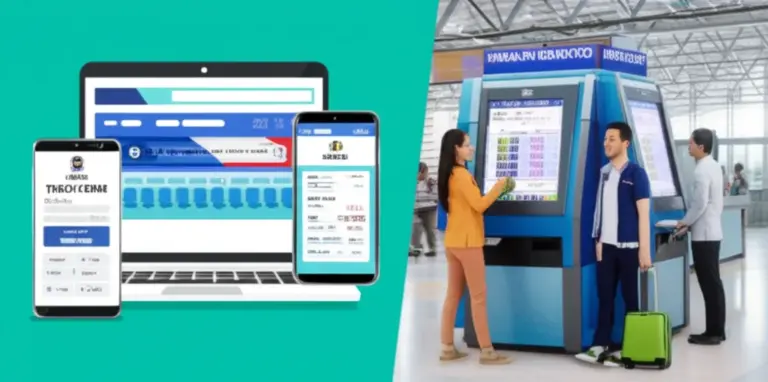
How to Book KAI Tickets Online and at Stations (Step-by-Step Booking & Payment Options)
- How to Book KAI Tickets Online and at Stations (Step-by-Step Booking & Payment Options)
Exploring the breathtaking landscapes and vibrant culture of Indonesia by train offers an unforgettable journey. As the primary railway operator, Kereta Api Indonesia (KAI) provides an extensive network connecting major cities and scenic routes across Java and Sumatra. For both local adventurers and international tourists, understanding how to Book KAI Tickets Online and at Stations is crucial for a smooth and enjoyable travel experience. This comprehensive guide will walk you through every step, from digital booking via the KAI Access app to traditional station purchases, ensuring you’re well-prepared for your Indonesian railway adventure.
Why Choose KAI for Your Indonesia Adventure?
Train travel in Indonesia has gained immense popularity, not just for its efficiency but also for the unique perspective it offers. KAI trains are known for their comfort, punctuality, and the opportunity to witness Indonesia’s stunning natural beauty up close. Whether you’re planning a trip from Jakarta to Yogyakarta or exploring the cultural heart of Bandung, KAI presents a reliable and picturesque mode of transport.
Comfort and Convenience
KAI offers various classes, including Economy, Business, and Executive, each providing different levels of amenities. Executive class, for instance, boasts reclining seats, air conditioning, and often onboard dining options, ensuring a comfortable journey even on long routes. The spacious carriages allow for more relaxed travel compared to other modes of transport. [1]
Scenic Routes
Many KAI routes traverse through lush rice paddies, volcanic landscapes, and charming villages, offering travelers breathtaking views that are often missed when flying or driving. These routes are a photographer’s dream and provide a deeper connection to the country’s diverse geography. [1]
Cost-Effective Travel
Compared to domestic flights, KAI tickets can often be a more economical choice, especially for those traveling on a budget. With various classes available, you can select an option that fits your financial plan without compromising too much on comfort. [1]
Booking KAI Tickets Online: A Digital Journey
The most convenient way to Book KAI Tickets Online and at Stations is through digital platforms. KAI, through its official application and website, has streamlined the booking process, making it accessible even for international visitors. [5]
Using the KAI Access App (Recommended)
The Access by KAI app (formerly KAI Access) is the official mobile application and is highly recommended for its user-friendly interface and comprehensive features. It’s available on both the Google Play Store and Apple App Store and supports English, making it ideal for tourists. [7, 13]
Step-by-Step Guide for KAI Access App:
- Download & Registration: Download the “Access by KAI” app. Sign up using your email address or phone number. Foreigners should ensure their personal details match their passport. [7]
- Searching for Tickets: On the main page, select “Intercity Train” or “Local Train.” Enter your origin and destination stations, departure date, and the number of passengers. Use station codes if known (e.g., JKT for Jakarta, YK for Yogyakarta). [7]
- Selecting Trains & Seats: Browse the available trains and classes (Economy, Business, Executive). Choose your preferred train and then select your seats. The app often pre-selects seats, but you can change them. [7]
- Passenger Details: Fill in passenger information accurately. For foreign travelers, you’ll need to enter your passport number as your ID type. [1]
- Payment Options: Proceed to payment. KAI Access offers various payment methods including debit/credit cards, e-wallets (GoPay, OVO, LinkAja), and bank transfers. Some options also allow payment at retail outlets like Indomaret/Alfamart by generating a payment code. [2, 7, 9]
- E-ticket Retrieval: After successful payment, an e-ticket will be sent to your registered email and will be accessible within the app under the “My Ticket” menu. This e-ticket contains a QR code for check-in. [3, 7]
Here’s a helpful video tutorial demonstrating the KAI Access app booking process:
Booking via the KAI Official Website
If you prefer booking on a larger screen, the official KAI website (booking.kai.id) offers a similar experience to the app. The steps are largely identical, from selecting your route to making a payment. Ensure you have a stable internet connection for a smooth transaction. [7]
Third-Party Online Travel Agencies (OTAs)
Reputable OTAs like Traveloka and Tiket.com are official partners of PT KAI and provide convenient platforms to book KAI tickets. They often offer promotions and various payment methods, including international credit cards. [3, 4]
Booking KAI Tickets at Stations: The Traditional Way
For those who prefer a more traditional approach or face challenges with online booking, purchasing KAI tickets directly at the station is still a viable option. This method is particularly useful if you’re traveling spontaneously or need assistance with your booking. [1]
At the Ticket Counter
Process at the Counter:
- Prepare Documents: Bring your original passport (for foreigners) or national ID (KTP for Indonesians). An identity number is mandatory for all passengers, including infants. [1, 6]
- Provide Details: Inform the staff of your desired route, departure date, train class, and number of passengers. They will show you available options. [1, 5]
- Payment: Payment can typically be made with cash or debit card. Confirm accepted payment methods before queuing. [1]
- Receive Printed Ticket: Once payment is complete, you will receive a physical printed ticket. Keep this safe as it’s required for boarding. [1]
Self-Service Ticket Machines (Cetak Tiket Mandiri)
Many KAI stations are equipped with self-service machines (often called ‘Cetak Tiket Mandiri’ or ‘Print Your Own Ticket’) where you can print e-tickets that were booked online. Some machines may also allow direct purchase, but their primary function is usually for printing pre-booked tickets. You’ll typically need your booking code and ID. [3, 7]
Essential Tips for a Smooth KAI Booking Experience
To ensure a hassle-free journey, keep these tips in mind when you Book KAI Tickets Online and at Stations:
Payment Options for KAI Tickets
KAI and its partners offer a wide array of payment options to cater to various preferences. [2]
Online Payments
- Debit/Credit Cards: Widely accepted on KAI Access, KAI website, and OTA platforms. [2, 3]
- E-wallets: GoPay, OVO, LinkAja are popular choices in Indonesia and are integrated into the KAI Access app. [2, 7]
- Bank Transfers: Many Indonesian banks are supported for direct transfers. [7]
- Retail Outlets: You can generate a payment code through the app/website and pay in cash at convenience stores like Indomaret or Alfamart. [2]
Offline Payments (at Stations)
- Cash: The most straightforward option at ticket counters. [1]
- Debit Card: Accepted at most station counters. [1]
คำถามที่พบบ่อย (FAQ)
References
- Indonesia Train Travel: Guide to Booking Train Tickets Online and Popular KAI Routes
- 3 Cara Pembayaran KAI Access untuk Naik Kereta Api | kumparan.com
- Book Official KAI Train Tickets Online in Traveloka
- Book KAI Train Tickets with Discounts up to IDR 500k! – Tiket.com
- Purchasing Official KAI Train Tickets Online and Offline
- Easy Ways to Purchase Train Tickets for Foreigners in Indonesia – Life En.tempo.co
- How to Travel by Train Using KAI (Kereta Api Indonesia) – Gojogja
- Terms and Conditions of Train Ticket Reservation (Intercity Trains) – Kereta Api Indonesia
- How to Buy and Pay for KAI Tickets Online at MAS Mobile – PT Bank Multiarta Sentosa Tbk
- KAI Access: How to Search for Train Tickets Faster and More Efficiently – Medium
- KAI Access Train Tickets 50% Discount Ticket Price – Tiket.com
- KAI Access: Train Booking App APK for Android – Download
- Access by KAI on the App Store